
Skip the tutorial spiral: ship your first diagram today
Dive into creating your first Mermaid diagram with ease. Sign in and start drawing in minutes!
Creating diagrams is essential for visualizing ideas, but getting started can often feel overwhelming. With SayDiagram, we’ve streamlined the process to help you ship your first diagram quickly. Now, signing in with Google or GitHub is all it takes to access your dashboard and unleash your creativity.
Imagine skipping the endless tutorial spiral that often leaves you more confused than before. Instead, you can dive right into diagramming. Whether you're a seasoned pro or just starting, our new Getting Started feature is designed to make the experience seamless.
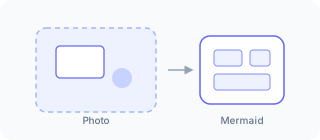
How it works
Once you sign in, you'll find yourself on a user-friendly dashboard. From here, you can either create a new Mermaid diagram from scratch or import existing ones with just a few clicks. The interface is intuitive, allowing you to focus on your ideas instead of navigating complex menus.
To create a new diagram, simply click on the appropriate button and begin sketching out your thoughts. If you already have a Mermaid diagram that needs a home, our import feature lets you bring it into SayDiagram effortlessly. This way, you can start refining your work without missing a beat.
Who it’s for
This feature is perfect for anyone who needs to visualize their thoughts, from developers and project managers to students and teachers. If you’ve ever found yourself stuck in the tutorial loop instead of crafting your ideas, Getting Started is here to help you make progress today.
Ready to dive in? Try it with our Getting Started guide and see how easy it is to bring your diagrams to life.