
Getting Started with SayDiagram: Your First Mermaid Diagram
Discover how to quickly create your first Mermaid diagram with SayDiagram. Sign in, explore, and visualize with ease.

Creating diagrams can be a daunting task, especially if you're new to the world of visual design and flowcharts. At SayDiagram, we understand that getting started should be a smooth and welcoming experience. That’s why we’ve introduced a simple way for you to begin your journey with Mermaid diagrams.
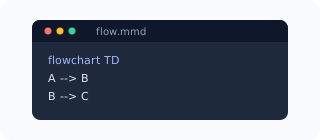
With just a few clicks, you can sign in using your Google or GitHub account, open the dashboard, and create or import your first diagram. This feature is designed to break down the barriers of entry for anyone looking to visualize their ideas effectively.
How it works
Getting started is straightforward. After signing in with your Google or GitHub account, you’ll find yourself on the SayDiagram dashboard. Here, you can either create a new Mermaid diagram from scratch or import existing ones. The interface is intuitive, allowing you to focus on crafting your visual narrative without getting lost in complex options. The Mermaid syntax is also editable under the hood, ensuring that you have full control over your diagram's structure.
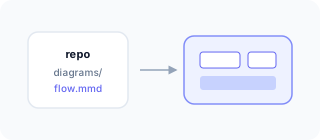
Once you’ve created or imported a diagram, you can enhance it by applying various themes and fonts to match your project's style. Additionally, you can hide nodes if you want to focus on specific parts of your diagram without deleting any information. This flexibility makes it easier to communicate your ideas clearly and effectively.
Who it’s for
This feature is ideal for a diverse range of users. Whether you're a student looking to illustrate a concept, a professional creating flowcharts for a project, or a team member collaborating with others, SayDiagram caters to your needs. The getting started process is designed to help anyone, regardless of technical skill levels, dive into the world of diagrams. By simplifying the initial steps, we hope to empower more people to visualize their thoughts and ideas.
Moreover, SayDiagram integrates seamlessly with other tools you might already be using. Once your diagram is ready, you can easily paste it into applications like Figma, Penpot, or Excalidraw, ensuring that your workflow remains uninterrupted.
Tips or pitfalls
While getting started with SayDiagram is easy, it's important to familiarize yourself with the basic syntax of Mermaid to maximize your diagram's potential. Spend some time exploring the various themes, fonts, and features available. Experimenting with the present mode can also enhance your presentation skills, as it allows you to step through your diagram in fullscreen, guiding your audience through each part of your narrative.
Try it
Ready to get started? Dive into your diagramming journey with SayDiagram by checking out our Getting Started guide. Embrace the power of visualization and see how it can transform your ideas into clear, actionable diagrams.