
From zero to shareable flowchart — no blank-page anxiety
Dive into how easy it is to create your first Mermaid diagram with SayDiagram. No experience needed.
Creating diagrams shouldn't feel daunting, especially when you're just getting started. With SayDiagram, you can turn your ideas into shareable flowcharts without any prior experience. Our easy-to-use platform allows you to sign in with Google or GitHub and jump right into the creative process. Let’s walk through the steps you need to take to create your very first Mermaid diagram.
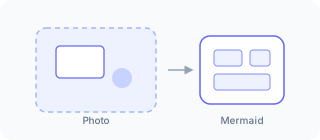
How it works
First, head to the SayDiagram website and sign in using your Google or GitHub account. This seamless sign-in process means you can start creating diagrams quickly, without the hassle of remembering another password.
Once you're in, you’ll land on your personal dashboard. This is where your diagramming journey begins. Here, you can create a new diagram from scratch or import an existing one. If you’re starting fresh, take a moment to think about the flowchart you want to create. What message are you trying to convey? What processes do you want to visualize?
The next step is to open the Mermaid editor. This is where the magic happens. The interface is designed to be intuitive and user-friendly, so you won't have to spend hours figuring out how to use it. You can start typing your diagram syntax right away, and as you do, you'll see your diagram take shape on the canvas. The real-time updates allow you to visualize your ideas instantly.
One of the standout features of SayDiagram is the ability to edit the underlying Mermaid code. If you’re familiar with Mermaid syntax, you can refine your diagram by adjusting the code directly. This flexibility is great for those who like to dive deeper into the technical aspects, but don't worry if you're new to this — you can create beautiful diagrams without ever touching the code.
After you finish creating your diagram, you can easily export it or integrate it with tools like Figma, Penpot, and Excalidraw. This means your diagrams can be part of larger projects or presentations, enhancing your workflow.
Who it’s for
SayDiagram is perfect for anyone looking to visualize ideas and processes, whether you're a student, teacher, project manager, or a developer. If you’ve ever found yourself staring at a blank page, unsure of where to start, this tool is designed to eliminate that anxiety. With SayDiagram, even the most complex information can be laid out in a clear, structured way.
Educators can create engaging lessons, project managers can outline workflows, and developers can document processes. The potential uses are limitless, and the ease of getting started means that more people can harness the power of visual communication.
Tips or pitfalls
As with any new tool, there are a few things to keep in mind to make the most out of your experience:
- Start simple: If you’re new to diagramming, begin with basic shapes and connections. As you become more comfortable, you can add complexity.
- Explore templates: Don’t hesitate to use templates available on the platform. They can provide inspiration and save time as you create your first diagrams.
- Practice: Like any skill, diagramming improves with practice. Spend some time experimenting with different diagrams to see what works best for your needs.
Try it
Ready to create your first Mermaid diagram? Check out our detailed guide to get started with SayDiagram: Try it. You'll be creating and sharing flowcharts in no time!