
Easy Onboarding: Get Started with SayDiagram
New to SayDiagram? Discover how to effortlessly create your first Mermaid diagram with our simple onboarding process.
Starting a new project can be daunting, especially if you're not sure where to begin. At SayDiagram, we aim to make the onboarding process as smooth as possible. With our latest feature, signing in and creating your first Mermaid diagram has never been easier. Whether you're a seasoned pro or just getting started, we’re here to help you navigate your creative journey.
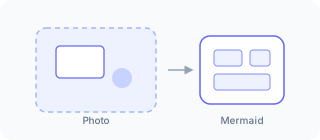
How it works
To get started, simply sign in using your Google or GitHub account. This feature streamlines the onboarding process by allowing you to use credentials you already have. Once you're signed in, you'll be taken to your personalized dashboard.
From the dashboard, you have the option to create a new diagram from scratch or import an existing one. If you choose to create, you can dive right into our user-friendly interface. If you have a diagram saved in Mermaid format, importing it is just a click away.
This seamless integration provides you with all the tools you need to visualize your ideas effectively. You can easily edit and arrange your diagrams before pasting them into your favorite design tools like Figma, Penpot, or Excalidraw.
Who it’s for
This feature is designed for anyone looking to enhance their diagramming experience. Whether you're a designer, developer, or project manager, SayDiagram helps you bring your concepts to life with clarity and ease. Our user-friendly onboarding makes it easy for newcomers to jump in, while offering the flexibility experienced users expect.
Ready to get started? Explore our new feature and create your first diagram today with SayDiagram's Getting Started Guide.