
Discover the New Editor Basics in SayDiagram
Explore our latest feature: the split-pane Monaco editor with live Mermaid preview. Perfect for seamless diagram creation.
At SayDiagram, we're excited to introduce our Editor Basics feature, designed to enhance your diagramming experience. This new tool combines a split-pane Monaco editor with a live Mermaid preview, auto-save functionality, and easy title editing. Whether you're a developer, a designer, or just someone who loves to create visual diagrams, the editor is here to simplify your workflow.
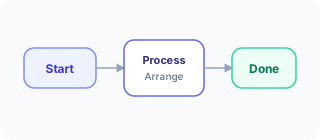
The split-pane layout allows you to view and edit your Mermaid source code on one side while simultaneously seeing the rendered preview on the other. This real-time feedback is invaluable as it helps you make adjustments quickly without the need to switch back and forth. You can focus on getting your ideas down without losing track of how they will look once rendered.
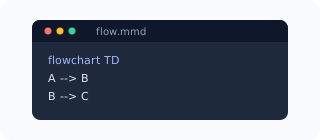
How it works
To get started with the Editor Basics, simply sign in using your Google or GitHub account, open your dashboard, and create or import your first Mermaid diagram. The auto-save feature ensures that you won’t lose any of your work, giving you peace of mind as you navigate through your design process.
Editing titles is straightforward. You can easily click and modify your diagram titles, making it simple to manage multiple diagrams or projects. The live preview will update instantly, so you can see the impact of your changes right away.
Who it’s for
The Editor Basics feature is tailored for anyone looking to visualize complex ideas quickly and effectively. Whether you're a software engineer mapping out a system architecture, a project manager visualizing workflows, or an educator crafting diagrams for classroom materials, this tool is designed to meet your needs.
If you're new to SayDiagram, you can benefit from our Getting Started feature that allows you to sign in easily and dive right into creating diagrams. If you're more experienced, the Arrange Mode lets you drag and drop nodes on a visual canvas while keeping your Mermaid source editable and in sync. This flexibility ensures that both novice and experienced users can find value in our platform.
Tips or pitfalls
While using the Editor Basics, remember that the auto-save feature is your friend. If you find yourself making significant changes, take a moment to check that everything is saving correctly. Additionally, experimenting with the live preview can help you discover new ways to layout your diagrams that you might not have considered initially.
A common pitfall is neglecting to take advantage of the split-pane editor. It can be tempting to focus solely on coding in Mermaid, but seeing your changes visually can spark new ideas and help you refine your diagrams more effectively.
Try it
Ready to experience the Editor Basics for yourself? Dive into the new feature and elevate your diagramming today by visiting SayDiagram's Editor Documentation. You'll find everything you need to start creating stunning diagrams effortlessly.