
Create Your First Mermaid Diagram in Under Five Minutes
Eager to dive into diagramming? Discover how to create your first Mermaid diagram with SayDiagram in just a few minutes.

Getting started with SayDiagram is quick and straightforward. In just a few minutes, you can have your first Mermaid diagram ready to go. Whether you're a designer, developer, or anyone who needs to visualize ideas, this tool makes the process seamless. Here’s how to jump in and start creating.
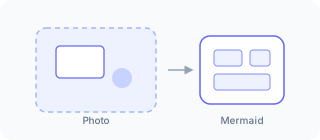
How it works
To begin, you'll want to visit the SayDiagram platform. Signing in is a breeze; you can choose to authenticate with your Google or GitHub account. Once signed in, you'll be directed to your dashboard, where the magic happens.
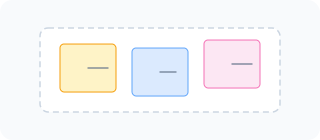
The dashboard is user-friendly and designed for efficiency. From here, you can create a new diagram or import an existing one if you’ve previously worked with Mermaid syntax. If you’re not familiar with Mermaid, it's a simple markdown-like script that allows you to create flowcharts, diagrams, and more with ease.
Once you’ve selected or created your diagram, you can arrange it on the visual canvas provided. The drag-and-drop functionality lets you position your elements precisely how you want them. After you've got everything in place, it's time to paste your diagram into tools like Figma, Penpot, or Excalidraw. The underlying Mermaid code remains editable, allowing for quick adjustments even after you've pasted your work into your design tool.
Who it’s for
This feature is perfect for anyone looking to visualize complex ideas simply and effectively. Whether you’re a project manager laying out workflows, a developer creating architecture diagrams, or a designer mapping out user journeys, SayDiagram equips you with the tools to express your thoughts visually.
Even if you're new to diagrams, the clean interface and straightforward functionality will guide you through the process. With the option to import existing Mermaid diagrams, you don’t have to start from scratch — you can build upon what you already have.
Tips or pitfalls
While getting started is easy, here are a few tips to ensure a smooth experience:
- Experiment with the layout: Don’t hesitate to play around with the positioning of your diagram elements until you find the layout that works best for your ideas.
- Watch out for syntax errors: If you're importing a diagram, double-check your Mermaid syntax to avoid any unexpected issues.
- Leverage the community: If you run into difficulties, check out forums and community discussions for additional support and inspiration.
With these tips in mind, you’re ready to create engaging diagrams that elevate your projects.
Try it
Ready to get started? Dive into your first Mermaid diagram and see how easy it can be with SayDiagram. Try it today!